The product in detail.

A platform that turns your delivered projects into references, and your references into sales slides — in whatever brand template you want.

Slide generation

Your template, your references inside it. No designer.

You upload a template — yours, a subsidiary's, a group's — you check the references you want, and Showy builds. Logos and illustrations in the right place, typography respected. You get back an editable file, 90% done.

01

Upload your template

Drag in the template to use: your house brand, a subsidiary's, a BU's. Multiple templates saved and reusable. Showy detects the structure with no setup.

02

Pick your references

Filter by industry, technology, year. Select 5, 10, 20 references — you don't pay per slide.

03

Get the file

Showy lays out each reference in the chosen template. You download an editable file, ready to present or fine-tune.

What Showy builds for you.

Template colors

Showy reads your template's palette and applies it to every generated slide.

Template typography

Fonts, heading hierarchies, sizes: whatever's defined in the template is respected.

Automatic image mapping

Client logos, reference illustrations: each image lands in its intended slot, correctly sized.

Works with every format

PowerPoint, Google Slides, Keynote, Word, DOCX. Showy builds in the format your prospect expects.

AI reference creation

A reference for every delivered project — without chasing anyone.

You import what already exists — project reports, won proposals, steering decks, wrap-up emails. The AI extracts, structures, and proposes a reference. You approve. The reference exists without having pulled in anyone on the delivery side.

01

Import the documents

Drag in everything that exists on the project: reports, won proposals, steering decks, wrap-up emails. Multiple documents, multiple formats — the tool cross-references them.

02

The AI structures and proposes

The AI reads and identifies the client, industry, technologies, duration, team, and deliverables. Each field is filled in with a confidence indicator.

03

You approve

The confident fields are ready. You fix the gray areas and fill in what's missing. A few minutes for what used to take several back-and-forths.

What the AI extracts for you.

Every input format

PDF, Word, PowerPoint, Google Docs, emails. You give what you have, not what you "should prepare."

Structuring fields

Client, industry, technologies, duration, team, deliverables, quantified results. Everything a proposal asks for.

Confidence score per field

You immediately see what's solid and what deserves a look. No black box.

Multi-document cross-referencing

Three sources on the same project? The AI aggregates and reconciles. You don't have to choose which one to upload.

And more.

Showy · Références

Advanced search

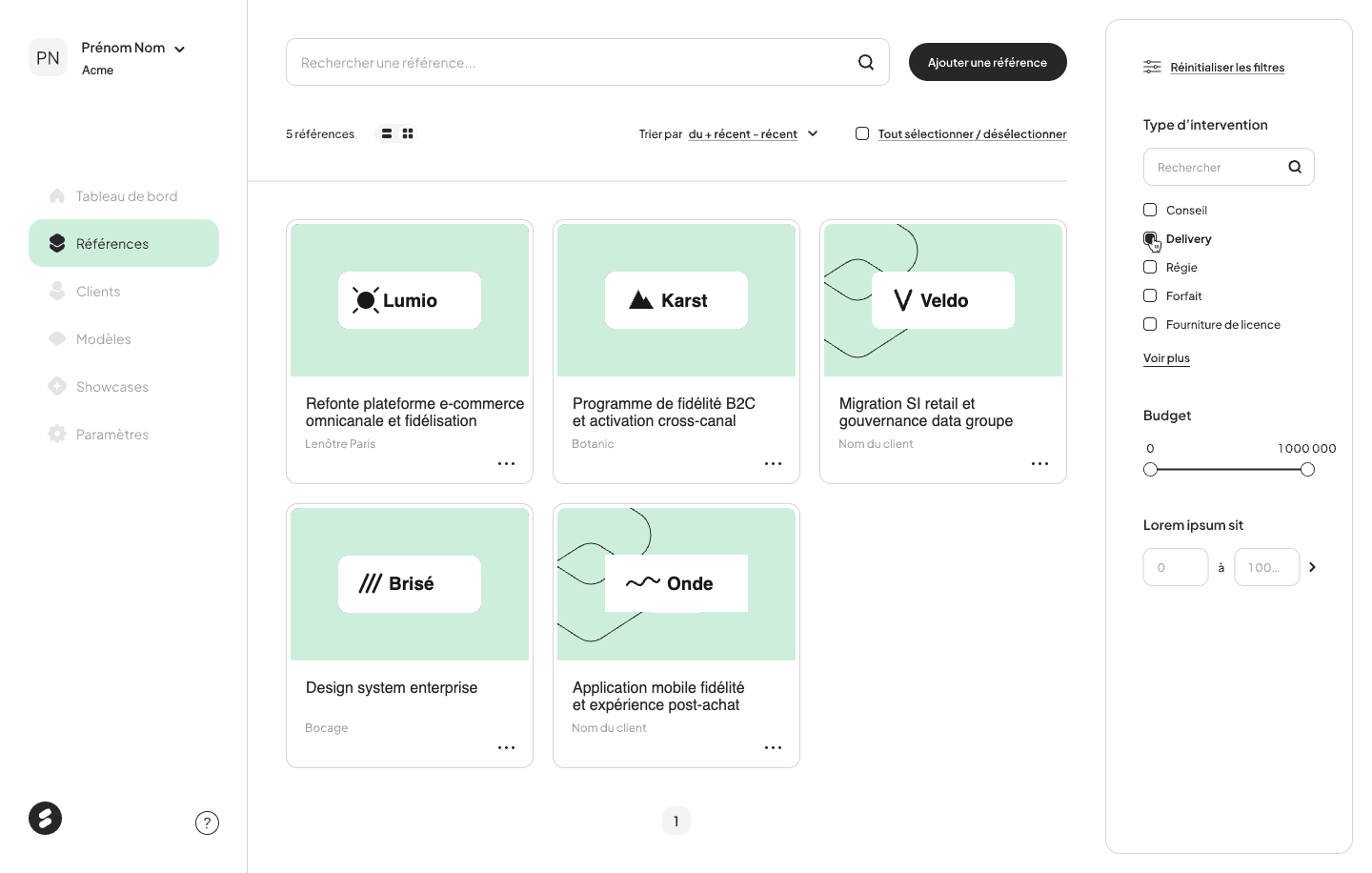
Filter by client, industry, technology, year, project size, budget. The reference that fits the prospect comes up first. List view or grid view, your choice.

references_2024.xlsx
attribut 1
attribut 2
attribut 3
attribut 4
Base structurée
déduplication · 412 fiches
Annotation : Excel / Drive / SharePoint → base structurée & dédupliquée

Bulk import

Got an Excel file, a Drive, a SharePoint full of past references? Import them all at once. Showy structures and deduplicates. You walk away with a library, not a project.

RÉFÉRENCE Migration SAP — Bandai Namco
  • CLIENT Bandai Namco Texte
  • BUDGET 1 250 000 € Nombre
  • AVANT-VENTE Oui Booléen
  • TECHS SAP S/4HANA ABAP Liste
Annotation : 6 types de champs, créables sans code

Custom data modeling

Text, number, date, image, boolean, value list: create the reference fields you need, no code. Your model aligns to your business, not the other way around.

Ready to see Showy on your real references?

Thirty minutes, with your library and your templates. No generic slides.