Every professional services firm manages its references. Very few manage them in a tool built for it. Most cobble something together — Drive, SharePoint, Notion, a CRM module, a shared spreadsheet — and run into the same limits within a year: ineffective search, hit-or-miss updates, manual slide generation, uneven quality.
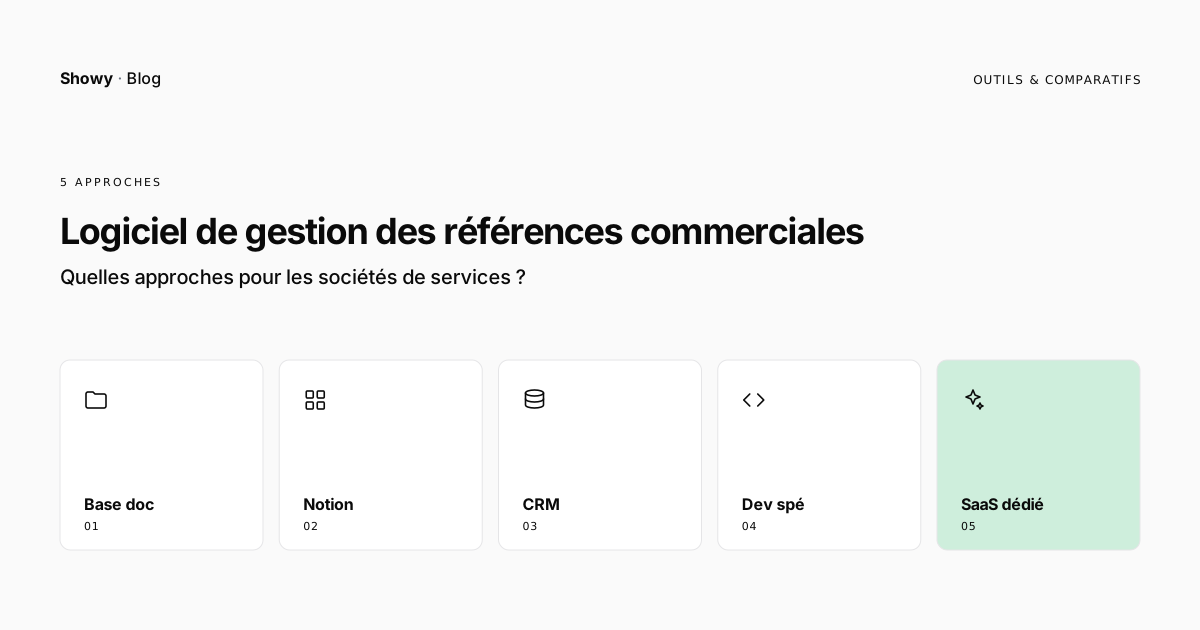
This article describes the five approaches you encounter in practice in software and computing services companies, consulting firms, and agencies, their advantages, their limits, and the criteria to weigh before choosing. It doesn’t decide for you: at 50 references or 5,000, at 10 people or 800, the right tool isn’t the same.
What is customer reference management software?
Customer reference management software centralizes the projects a professional services firm has delivered, structures the associated information (client, industry, duration, budget, technologies, deliverables, results), and lets different teams access it to produce sales or marketing content: proposals, vendor-listing files, case studies, slides, web pages.
Three functions recur in every serious definition of the category:
- Centralize: a single source of truth for each project, with a consistent data model.
- Search: find the relevant references by business criteria (industry, client size, type of engagement, technology, year).
- Activate: generate a deliverable — slide, PDF, web page — without starting from scratch.
Beyond this foundation, tools differentiate on cross-team collaboration, the reference lifecycle, CRM integration, and more recently the ability to pre-fill a record from existing project documents.
Why does this subject exist?
Three observations recur in the firms we meet.
The reference is everywhere, but structured nowhere. Projects are described in proposals, reports, sales slides, vendor-listing files filled in for a large group, sometimes a LinkedIn post. But none of these stand in for a library: they’re produced for a one-off use, and stop serving when the need reappears six months later.
The data is lost with departures. When the rep who carried the project leaves the firm, their knowledge goes with them. The remaining records are rarely documented enough for a new hire to reconstruct the context.
The sales impact is measurable. According to DemandMetric, “customer-influenced revenue via referrals or references” is among the metrics most correlated with significant revenue impact in B2B. A 2017 Harvard Business Review study already ranked customer references ahead of company websites, marketing content, and sales presentations for their influence on the purchasing decision.
In other words: the material exists, the impact is demonstrated, but the tooling is missing. It’s this gap that the five approaches below try to fill — each in its own way.
The five approaches you encounter in practice
1. The document library (Drive, SharePoint, Dropbox)
The most widespread approach. A shared folder, a naming convention, a slide or Word template, and everyone drops in their references.
What works: zero tool cost, immediate setup, everyone knows how to use it. Enough for a firm under 20 people with about fifty references.
Where it falls apart: no multi-criteria search (a Drive’s full-text search can’t filter by budget, duration, or technology). No notion of lifecycle (draft, approved, archived). No automatic slide generation in the right template. When you change your brand, you redo your 200 references one by one.
Time to implement: a few days.
2. Notion (or an equivalent general-purpose productivity tool)
Many agencies and firms moved to Notion in recent years to manage their reference library. The “database with typed properties” format meets the basic needs: you can filter by industry, by client, by year; you can attach different views (gallery, table, kanban).
What works: flexible field modeling, filter-based search, multiple views, simple sharing. Team adoption is generally good — Notion is familiar. Good cost/feature ratio for intermediate use.
Where it falls apart: Notion isn’t built to generate sales documents. You can store a record; you can’t turn it into a PowerPoint slide in your proposal template. Fine-grained permission management (who sees what, who approves what) stays limited. A reference’s lifecycle isn’t a native object. And beyond a few hundred records, performance and ergonomics degrade.
Time to implement: 2 to 4 weeks for a properly structured library.
3. The extended CRM or ERP
Mature software and computing services companies often house their references in their industry ERP — BoondManager, Akuiteo, VSActivity, Fitnet, Sincro, IOvision — or in their CRM (Salesforce, HubSpot) via a custom module. The reference becomes an entity linked to the client account, the project, sometimes the staff involved.
What works: the reference lives where the sales data and project data already live. No double entry. A natural link to the pipeline, staffing, billing. Data consistency.
Where it falls apart: the reference is never a first-class object in these tools. The form is rarely built for editorial quality (rich fields, approval, collaboration). Slide generation is almost always natively absent — you get a generic PDF export. Search is less precise than in a dedicated tool. And IT takes time to evolve the model when the business changes its mind about which fields to capture.
Time to implement: 1 to 3 months for a properly specified extension.
4. The custom build
A few firms choose to develop their own tool. Either in-house, or on a no-code platform (Bubble, Retool, extended Airtable). The argument: have exactly the features you want, integrated with your existing IT.
What works: fully tailored. Suited to internal processes. No compromise on the data model.
Where it falls apart: the upfront investment is high, and above all the recurring effort is underestimated. Once delivered, the tool has to evolve, be maintained, secured, updated. No one in the firm owns the subject full-time — the features that should arrive don’t. At 3 years, the tool is often abandoned for another.
Time to implement: 4 to 12 months.
5. The dedicated reference-management SaaS
A category of tools built specifically for managing sales references and customer stories. In the US, it’s been mature for about a decade: UserEvidence, ReferenceEdge (native to Salesforce), Influitive, Instigex, and others position themselves in this segment. In France, it’s emerging — few specialized players, and most firms cobble together with options 1 to 4.
What works: every function is native — business data model, multi-criteria search, lifecycle, approval, document generation in your brand template, collaboration, usage reporting. The tool evolves regularly with no effort on your side. And the new generation of dedicated SaaS includes an AI layer to pre-fill records from existing project documents — drastically reducing the entry burden.
Where it falls apart: it’s one more tool in the stack. If the “references” subject isn’t owned by someone internally, the tool goes unused, like any other. Integration with the CRM or ERP sometimes requires connector work.
Time to implement: 2 to 8 weeks.
Comparison table of the five approaches
| Criterion | Document library | Notion | Extended CRM/ERP | Custom build | Dedicated SaaS |
|---|---|---|---|---|---|
| Time to implement | Days | Weeks | Months | Months to a year | Weeks |
| Business data model | Poor | Good | Medium | Tailored | Good to excellent |
| Multi-criteria search | Weak | Good | Medium | Tailored | Excellent |
| Document generation (slides, PDF) | Absent | Limited | Limited | Tailored | Native |
| Reference lifecycle | Absent | Manual | Possible | Tailored | Native |
| Multi-team collaboration | Weak | Good | Good | Tailored | Good |
| Usage reporting | Absent | Limited | Possible | Tailored | Native |
| AI pre-fill | Absent | Absent | Absent | Tailored | Possible |
| Team adoption | Good | Good | Variable | Variable | Built for it |
| Suited from | < 50 refs | 50 to 500 | Any size | Any size | 100 to 10,000+ |
How to choose between these five approaches?
Four criteria are enough to decide in most situations.
Current and projected volume. Under 50 references and fewer than 10 proposals a month, a document library does the job. Beyond that, search becomes a blocker. Above 500 references, only a tool with a structured data model holds up.
Maturity of the sales function. A firm whose reps spend their days hunting for references for RFPs and proposals has a different need than a firm producing 5 proposals a year. The higher the throughput, the more critical automatic document generation and precise search become.
Who owns the subject internally. Without an identified owner — marketing, ops, or sales leadership — any tool fails. Before choosing, identify the person. Without them, stay on the document library and invest the budget elsewhere.
Investment capacity and risk appetite. The custom build offers tailoring but exposes you to a high recurring effort and an abandonment risk. The dedicated SaaS commits less in absolute terms, at the cost of less flexibility on the truly exotic edge cases.
An empirical rule we observe: most professional services firms between 50 and 500 people are better off moving directly from a document library to a dedicated SaaS, skipping the Notion step (which serves a year then becomes the next problem) and the custom-build step (which serves two years then becomes technical debt).
FAQ
What’s the difference between reference management software and a CRM?
A CRM manages accounts, opportunities, and sales interactions. Reference management software manages delivered projects, their structured description, and their reuse to produce sales content. The two tools are complementary: the reference in the CRM is a shell (the client name, the amount); the reference in a dedicated tool is activatable content.
Is Notion a good tool for managing references?
Notion is suitable for a library of a few hundred records managed by a small team, with limited document-generation needs. Beyond that, its limits on slide generation, lifecycle, and permission granularity make it insufficient.
How long does it take to deploy a reference management tool?
From a few days (document library) to several months (custom build). For a dedicated SaaS, count 2 to 8 weeks depending on the volume of references to migrate, the complexity of the desired data model, and the quality of the templates to provide.
Do you need a dedicated owner to manage the reference library?
Not full-time in most cases, but yes part-time and with a clear mandate. Without someone identified as the guardian of the library’s quality, any tool — even the best — ends up a graveyard of incomplete records.
Can you connect reference management software to your CRM?
Yes, and it’s generally desirable. Serious dedicated SaaS tools offer native integration with Salesforce, HubSpot, or Pipedrive, and connectors via Zapier or API for industry CRMs. On the ERP side (BoondManager, Akuiteo, etc.), integration usually goes through an API.